Learning Arm-v8 Assembly — Environment Setup
Environment Setup
-
Install the compilation and debugging components
- Since I only had an x86 environment with WSL on hand, I needed to use emulation to compile, run, and debug ARM programs
- Referencing this gist article, it is possible to run armv8 programs on an x86 environment. The steps are as follows:
- Install on WSL:
- Cross-compilation environment:
sudo apt-get install libc6-dev-arm64-cross gcc-aarch64-linux-gnu - QEMU emulation environment:
sudo apt-get install qemu qemu-system qemu-user
- Cross-compilation environment:
- Install on WSL:
-
Compilation and execution commands
- Prepare a source file
hello.c, which typically prints something likehello ARM - Static linking compilation:
aarch64-linux-gnu-gcc -static -ohello hello.c- Pros: execution does not depend on dynamic libraries; instruction addresses are fixed
- Cons: the compiled binary is larger in size; upgrading dependent libraries is more cumbersome
- Static compilation execution:
qemu-aarch64 hello - Dynamic linking compilation:
aarch64-linux-gnu-gcc -ohello hello.c- Execution requires specifying the dynamic linker library directory
- Dynamic compilation execution:
qemu-aarch64 -L /usr/aarch64-linux-gnu/ hello
- Prepare a source file
-
Debugging commands
- Based on the discussions in this article and stackoverflow, programs can be debugged by installing gdb-multiarch
- Compilation options to add: disable address randomization and include debug symbols
aarch64-linux-gnu-gcc -fno-pie -ggdb3 -no-pie -o hello hello.c
- Runtime options also need to specify the dynamic linker library directory
qemu-aarch64 -L /usr/aarch64-linux-gnu/ -g 10101 ./hello
- Open a new terminal and connect to port 10101 via gdb-multiarch for debugging
gdb-multiarch -q --nh \
  -ex 'set architecture aarch64' \
  -ex 'set sysroot /usr/aarch64-linux-gnu/' \
  -ex 'file hello' \
  -ex 'target remote localhost:10101' \
  -ex 'break main' \
  -ex continue \
  -ex 'layout split'
;
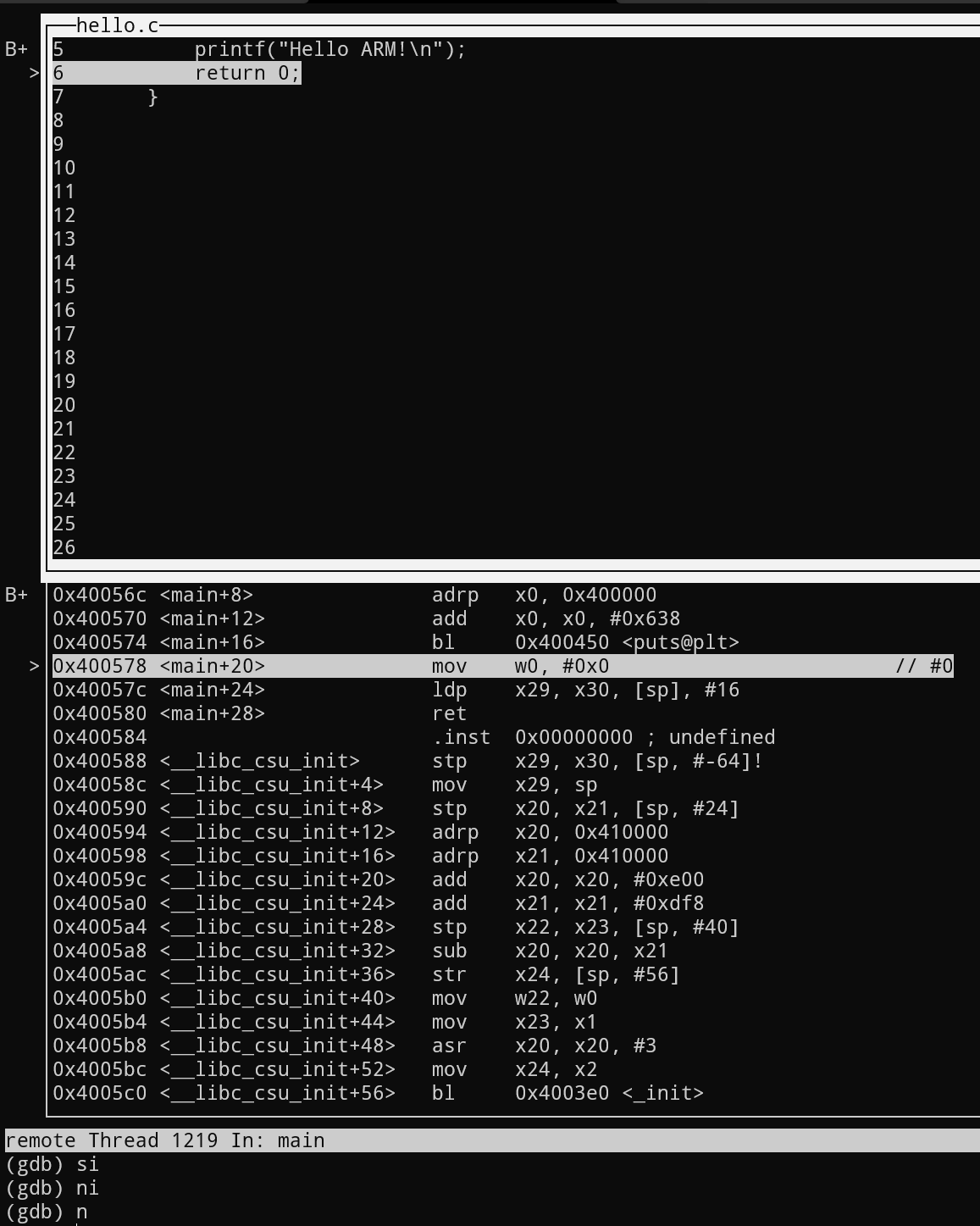
The debugging example is shown below. With a split layout, you can view the source code and assembly instructions, which is quite convenient. You can see that printf actually calls the puts provided by libc to do the work. With GDB, single-stepping through the code becomes much easier.
With the configuration above, you are basically all set to start happily debugging and learning Arm-v8 assembly.